www.toggl.com
Have you ever looked back on your day, having so many items on your to-do list still not completed, and wondered where all your time went? Or do you feel that you might be giving more time to a project than it needs? Or do you have a job where you want to easily complete your timesheet and export it to your boss or client? Then Toggl might just be the tool you need!
Toggl helps you keep track of your time with a simple click of a button. You can access your account across platforms (e.g., on your computer desktop, on your mobile phone, on your tablet, on any browser with an internet connection). It's available for Android, iPhone, iPad, Mac, and Windows.
You can export your tracked time in a spreadsheet format, or you can have it e-mailed. You can even e-mail it to yourself once a week!
How much does this cost? Nothing! You can even make your account via your Google account. There is an option to get more features for $5/month. You can even track your time as "billable" or "non-billable".
Finally, be sure to watch these two videos, which are about 1 minute long each, to get the hang of how to use it.
http://youtu.be/xc_Z19pWllQ
http://youtu.be/8hdCOnW6oH0
Then, download it on your devices, and get ready to open the black box containing the information about where all your time went! For instance, I just spent about 5 minutes researching and downloading Toggl, then about 10 minutes writing this blog post. Easy as pie!
Showing posts with label teaching resource. Show all posts
Friday, October 25, 2013
Thursday, September 12, 2013
Teachingwithdata.org - "Pathway to Quantitative Literacy in Social Sciences"
http://teachingwithdata.org/
I found this website via the Resources for Instructors section of the ICPSR website. It has many useful resources and features that a research instructor would find very practical in lesson planning! Some of the features include:
- Data In The News: useful for talking about ethical use of data, whether its represented correctly, etc.
- Charts & Tables: visual aids to enhance learning (e.g., use of census data).
- Lectures and Lessons: on a variety of topics.
- Activities & Assignments: for use in class or out of class.
- And lots more!
Even if you are not teaching a research methods course, this is a great way to integrate research into other class content, in order to help students better understand the link between research and practice.
![]() |
| Screen shot of their homepage. |
So don't delay, check it out today!
Thursday, August 22, 2013
Have your iPad read out loud to you
http://lifehacker.com/kindle-for-ios-can-make-siri-read-your-books-aloud-sor-486241369
Have you ever been traveling by car, and wished that you could get your iPad (or iPhone) to read books aloud to you? I was in that situation the other day, and came across this useful article on a "life hack" to do just that. But it's not the article that provided the key information, it was a comment below the article!
Here's the steps (in case you can't/don't want to click on the link):
I am going to be listening to a textbook as I drive 3.5 hours each way to teach! Shameless plug, here's the blog for the class: http://LGBTQsocialwork.blogspot.com.
Cheers!
Have you ever been traveling by car, and wished that you could get your iPad (or iPhone) to read books aloud to you? I was in that situation the other day, and came across this useful article on a "life hack" to do just that. But it's not the article that provided the key information, it was a comment below the article!
Here's the steps (in case you can't/don't want to click on the link):
| It's this simple. |
- Go to "Settings", and in the "General" tab, scroll down to "Accessibility" and select it.
- Scroll to the bottom of that page and find the section that says "Triple-click". Press it, and select "VoiceOver" from the list of options.
- Now, all you have to do in order to have a page read aloud to you is to triple-click on your home button, and VoiceOver is turned on.
- In order to have an entire page read aloud, you must simply swipe down with two fingers.
- Ta-da! You can now hear your ebook read aloud! You can tweak the rate of speech, among other options, in that same settings menu that you were at when you did the Triple-click thing.
I am going to be listening to a textbook as I drive 3.5 hours each way to teach! Shameless plug, here's the blog for the class: http://LGBTQsocialwork.blogspot.com.
Cheers!
Monday, June 24, 2013
Scholarly Communications @ Duke - Your guide to copyright and publication issues
http://blogs.library.duke.edu/scholcomm/
This is a great resource for the grad student, new academic, or seasoned scholar alike. There are many times when we come across puzzling situations regarding copyright law and permissions to post information, especially in the new digital age. This resource at Duke offers a good place to start seeking guidance when a copyright question comes up. They offer a "Scholarly Communications Toolkit" which has a flow-chart for decision-making when it comes to teaching materials. They also have templates for letters of permission for things such as: releasing a student's work, letter requesting copyright permission, and guest speaker release form.
For those seasoned faculty members, you may think that you don't need such a resource. However, this website has a page dedicated solely to faculty authors.
The page is technically a blog, so you can subscribe to future posts.
Happy publishing!
This is a great resource for the grad student, new academic, or seasoned scholar alike. There are many times when we come across puzzling situations regarding copyright law and permissions to post information, especially in the new digital age. This resource at Duke offers a good place to start seeking guidance when a copyright question comes up. They offer a "Scholarly Communications Toolkit" which has a flow-chart for decision-making when it comes to teaching materials. They also have templates for letters of permission for things such as: releasing a student's work, letter requesting copyright permission, and guest speaker release form.
![]() |
| Screenshot of the home page. |
For those seasoned faculty members, you may think that you don't need such a resource. However, this website has a page dedicated solely to faculty authors.
The page is technically a blog, so you can subscribe to future posts.
Happy publishing!
Saturday, May 18, 2013
www.ats.ucla.edu/stat/ - UCLA Statistical Computing
http://www.ats.ucla.edu/stat/
I know that many of my student readers are beginning to utilize statistical software packages more as they enter into higher levels of their research process. One website that has been priceless for me as I learned how to use Stata was UCLA's Statistical Computing website. They offer so much detailed and useful information on a range of software packages, it would be hard to capture all of what they offer in this blog post. Here's an example of what they offer for SPSS:
When I was learning Stata, I found it extremely helpful to go to their Stata page and search for the command I was trying to learn. Here's an example. If you search for the Stata command "egen", here's what you'll find:
The site also offers educational resources for the classroom, including textbook examples. They also have links to prior workshops now available online:
This resource is not to be overlooked even for the seasoned researcher, as it provides an easy to navigate refresher of common and not-so-common commands and analyses. Put it on your bookmarks list!
Monday, April 1, 2013
ICPSR - summer learning programs
http://www.icpsr.umich.edu/icpsrweb/sumprog/index.jsp
I attended a webinar hosted by the folks at ICPSR (the Inter-university Consortium for Political and Social Research) on their educational opportunities. The part I found most interesting, and applicable to my readers, was their summer learning series. They have seminars on almost every topic of quantitative data analysis you can imagine. So if you are a doc student who needs to learn (for example) about group-based modeling (or, "latent class growth analysis") you can attend a workshop by Daniel Nagin on that very topic! The workshops are pricey if you are a poor graduate student, but if you can find a way to pay for it, then you should definitely consider attending one of these specialized training opportunities for your dissertation analysis strategy. They also have workshops geared towards undergraduate and graduate students, so be sure to share this with your students. Head on over and check out the summer programs!
Monday, March 25, 2013
ICPSR - teaching & educational resources
http://www.icpsr.umich.edu/icpsrweb/instructors/index.jsp
Last month I attended a webinar hosted by ICPSR (the Inter-University Consortium for Political and Social Research) which highlighted and explained the resources available to educators and students. As a social worker who loves research and education, I was excited to learn more about these resources! (You can watch the whole webinar on YouTube! Click here.)
The first exciting tool is the Data-driven Learning Guides (aka Short Exercises). These are meant for use in non-research-methods courses, usually for undergraduates. They will be helpful for introducing students to the utility and purpose of data. ICPSR advocates for introducing data earlier in the life of a college student rather than waiting until substantive years such as junior or senior year, because if students learn earlier on that data is a useful/meaningful tool, then perhaps fewer of them will abandon research knowledge in the future. All of the modules are standardized. ICPSR has made it so easy for any educator to use this resource: they have the following sections of information on each guide: goal and concept of that particular guide, the dataset, variables contained in the dataset, and ideas for application (which help students think about certain research questions, and has links to pre-made tables for the purpose of analysis).
The next tool is the Exercise Sets. These are more suited for students in research-focused classes. They provide a series of modules designed as a sequence to follow throughout a class rather than just for one assignment. One module uses Robert Putnam's book on social capital, Bowling Alone, which is very applicable to social work education.
The last tool is the Crosstab Assignment Builder (which is in beta-level development). According to the website, "The instructor selects an appropriate dataset and identifies relevant variables. The students can be given varying degrees of autonomy; instructors can designate placement of specific variables (row, column, control) or they can leave the choice up to students."
In addition to these great tools, the website also contains pages on: resources for students, videos on teaching, and external links. Be sure to browse through the full site so you can discover the full range of the wonderful resources available here!
Last month I attended a webinar hosted by ICPSR (the Inter-University Consortium for Political and Social Research) which highlighted and explained the resources available to educators and students. As a social worker who loves research and education, I was excited to learn more about these resources! (You can watch the whole webinar on YouTube! Click here.)
The first exciting tool is the Data-driven Learning Guides (aka Short Exercises). These are meant for use in non-research-methods courses, usually for undergraduates. They will be helpful for introducing students to the utility and purpose of data. ICPSR advocates for introducing data earlier in the life of a college student rather than waiting until substantive years such as junior or senior year, because if students learn earlier on that data is a useful/meaningful tool, then perhaps fewer of them will abandon research knowledge in the future. All of the modules are standardized. ICPSR has made it so easy for any educator to use this resource: they have the following sections of information on each guide: goal and concept of that particular guide, the dataset, variables contained in the dataset, and ideas for application (which help students think about certain research questions, and has links to pre-made tables for the purpose of analysis).
The next tool is the Exercise Sets. These are more suited for students in research-focused classes. They provide a series of modules designed as a sequence to follow throughout a class rather than just for one assignment. One module uses Robert Putnam's book on social capital, Bowling Alone, which is very applicable to social work education.
The last tool is the Crosstab Assignment Builder (which is in beta-level development). According to the website, "The instructor selects an appropriate dataset and identifies relevant variables. The students can be given varying degrees of autonomy; instructors can designate placement of specific variables (row, column, control) or they can leave the choice up to students."
In addition to these great tools, the website also contains pages on: resources for students, videos on teaching, and external links. Be sure to browse through the full site so you can discover the full range of the wonderful resources available here!
Monday, February 25, 2013
Moodle.org - a web-based platform to replace Blackboard
www.moodle.org
I don't want to make it sound like I don't like Blackboard, but I can say that there are a lot of alternatives out there, and this one is free and is full of an active user-base so it is constantly improving and updating. It is "open source" so that means that anyone can design an "add-on" (aka, "app" or tool) to use with Moodle. I came across Moodle while I was doing research for a project on transformative learning. Moodle is designed to support a social constructivist approach to education.
Moodle is an acronym for Modular Object-Oriented Dynamic Learning Environment. The creator defines it as an online learning management system, designed to create opportunities for rich interaction between teachers and learners. The creator also uses it as a verb: the process of enjoyable tinkering that often leads to growing knowledge, insight, and creativity.
What can you do with it? I found this fantastic link that gives a quick overview (you can click through it in about a minute!) that uses Lego bricks. I can't think of a better way to explain it myself, so here's the link: http://www.slideshare.net/moodlefan/what-is-moodle-explained-with-lego-presentation. (Also, note the use of the page Slideshare.net, which I blogged about a few days ago, here.)
Here is a link to their Frequently Asked Questions: http://docs.moodle.org/24/en/About_Moodle_FAQ.
Have fun moodle-ing! :)
P.S., many of its features are free!
I don't want to make it sound like I don't like Blackboard, but I can say that there are a lot of alternatives out there, and this one is free and is full of an active user-base so it is constantly improving and updating. It is "open source" so that means that anyone can design an "add-on" (aka, "app" or tool) to use with Moodle. I came across Moodle while I was doing research for a project on transformative learning. Moodle is designed to support a social constructivist approach to education.
Moodle is an acronym for Modular Object-Oriented Dynamic Learning Environment. The creator defines it as an online learning management system, designed to create opportunities for rich interaction between teachers and learners. The creator also uses it as a verb: the process of enjoyable tinkering that often leads to growing knowledge, insight, and creativity.
What can you do with it? I found this fantastic link that gives a quick overview (you can click through it in about a minute!) that uses Lego bricks. I can't think of a better way to explain it myself, so here's the link: http://www.slideshare.net/moodlefan/what-is-moodle-explained-with-lego-presentation. (Also, note the use of the page Slideshare.net, which I blogged about a few days ago, here.)
Here is a link to their Frequently Asked Questions: http://docs.moodle.org/24/en/About_Moodle_FAQ.
Have fun moodle-ing! :)
P.S., many of its features are free!
Thursday, February 21, 2013
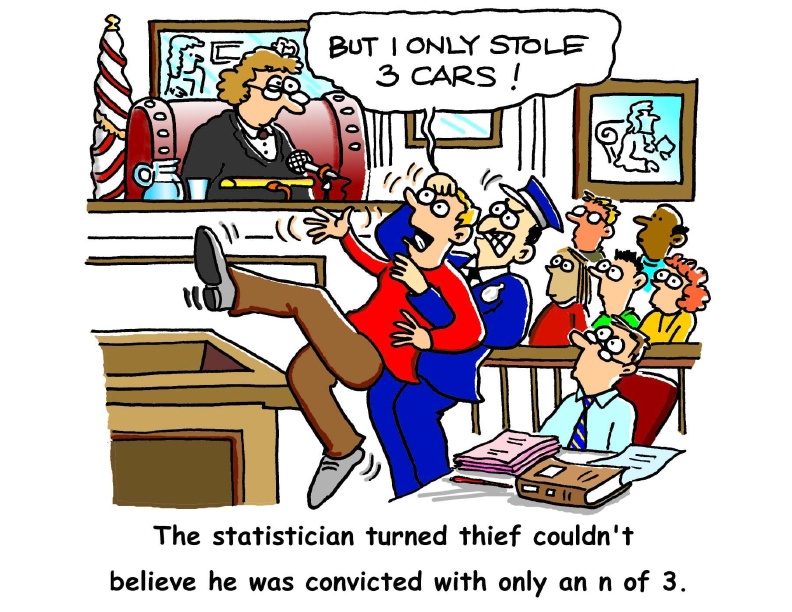
Humor and fun in statistics - Because life is too short to take everything so seriously!
I recently came across this website, which is for the organization called CAUSE (Consortium for the Advancing Undergraduate Statistics Education). It has several resources that educators would find useful in teaching statistics... to undergrads.... (Yeah, I know... that was a really original description.) One of the best parts of the website is a collection entirely devoted to humor, fun, and silliness related to statistics.
Most of the resources are cartoons, but there are also poems, word puzzles, songs, and videos. If any of you know me personally or professionally, you know that I am silly and love to include humor in any conversation. So, of course, the "fun" section of this website was particularly enticing for me.
Upon browsing through some of the poems, I came across a poem titled "Hiawatha Designs an Experiment". Because I love Henry Wadsworth Longfellow, I had to read it. And now, I just have to share it with you readers! It's worth reading (if you appreciate poetry, irony, and statistics). :) And in case you aren't familiar with Henry Wadsworth Longfellow, or his poem called The Song of Hiawatha, here's a link to the original poem: http://www.hwlongfellow.org/poems_poem.php?pid=283.
Hiawatha Designs an Experiment
by Sir Maurice G. Kendall (1907 - 1983)
Hiawatha, mighty hunter
He could shoot ten arrows upwards
Shoot them with such strength and swiftness
That the last had left the bowstring
Ere the first to earth descended.
This was commonly regarded
As a feat of skill and cunning.
One or two sarcastic spirits
Pointed out to him, however,
That it might be much more useful
If he sometimes hit the target.
Why not shoot a little straighter
And employ a smaller sample?
Hiawatha, who at college,
Majored in applied statistics
Consequently felt entitled
To instruct his fellow men on
Any subject whatsoever,
Waxed exceedingly indignant
Talked about the law of error,
Talked about truncated normals
Talked of loss of information,
Talked about his lack of bias
Pointed out that in the long run
Independent observations
Even though they missed the target
Had an average point of impact
Very near the spot he aimed at
(With the possible exception
Of a set of measure zero.)
This, they said, was rather doubtful.
Anyway, it didn't matter
What resulted in the long run;
Either he must hit the target
Much more often than at present
Or himself would have to pay for
All the arrows that he wasted.
Hiawatha, in a temper,
Quoted parts of R. A. Fisher
Quoted Yates and quoted Finney
Quoted yards of Oscar Kempthorne
Quoted reams of Cox and Cochran
Quoted Anderson and Bancroft
Practically in extenso
Trying to impress upon them
That what actually mattered
Was to estimate the error.
One or two of them admitted
Such a thing might have its uses
Still, they said, he might do better
If he shot a little straighter.
Hiawatha, to convince them,
Organized a shooting contest
Laid out in the proper manner
Of designs experimental
Recommended in the textbooks
(mainly used for tasting tea, but
Sometimes used in other cases)
Randomized his shooting order
In factorial arrangements
Used in the theory of Galois
Fields if ideal polynomials
Got a nicely balanced layout
And successfully confounded
Second-order interactions.
All the other tribal marksmen
Ignorant, benighted creatures,
Of experimental setups
Spent their time of preparation
Putting in a lot of practice
Merely shooting at the target.
Thus it happened in the contest
That their scores were most impressive
With one solitary exception
This (I hate to have to say it)
Was the score of Hiawatha,
Who, as usual, shot his arrows
Shot them with great strength and swiftness
Managing to be unbiased
Not, however, with his salvo
Managing to hit the target.
There, they said to Hiawatha,
That is what we all expected.
Hiawatha, nothing daunted,
Called for pen and called for paper
Did analyses of variance
Finally produced the figures
Showing beyond all peradventure
Everybody else was biased
And the variance components
Did not differ from each other's
Or from Hiawatha's
(This last point, one should acknowledge
Might have been much more convincing
If he hadn't been compelled to
Estimate his own component
From experimental plots in
Which the values all were missing.
Still, they couldn't understand it
So they couldn't raise objections
This is what so often happens
With analyses of variance.)
All the same, his fellow tribesmen
Ignorant, benighted heathens,
Took away his bow and arrows,
Said that though our Hiawatha
Was a brilliant statistician
He was useless as a bowman,
As for variance components
Several of the more outspoken
Made primeval observations
Hurtful to the finer feelings
Even of a statistician.
In a corner of the forest
Dwells alone my Hiawatha
Permanently cogitating
On the normal law of error
Wondering in idle moments
Whether an increased precision
Might perhaps be rather better
Even at the risk of bias
If thereby one, now and then, could
Register upon the target.
Monday, February 18, 2013
Purdue Online Writing Lab (OWL) - not just for your students!
http://owl.english.purdue.edu/owl/resource/752/1/
Many of you probably already know about Purdue's OWL website. It gives great tips for writing on a variety of topics. However the link I want to share today is specifically related to the topic of academic proposals (for conferences, articles, and books). I don't know about you, but for me, the idea of writing a proposal is both exciting and panic-inducing. It is exciting because I enjoy the opportunity to share my work, which I think is important and meaningful, but it's also panic-inducing because of all the fears that go along with academic writing: Will I be able to articulate my points convincingly? What if they think my ideas are hogwash? How long can I put off writing this proposal? "Insert your own fears here." So check out this link for some helpful guidance on how to write an effective proposal. Also, be sure to peruse the rest of the website because it has plenty of helpful tips for writers at any level!
Friday, February 15, 2013
KhanAcademy.org - its all about the math, y'all
I'm sure many of you already know about KhanAcademy.org, but if not, it is an online repository of learning modules on just about any topic you can imagine, from math, to science and economics, and more.
I want to focus your attention on a particular set of modules at the Khan Academy on probability and statistics (click here). Kal (the founder of the site, and the author of this particular series of modules) is a brilliant guy, and really good at breaking down statistics to social worker speed. It was a great supplement to the standard coursework on quantitative methods in my program.
Topics include:
I want to focus your attention on a particular set of modules at the Khan Academy on probability and statistics (click here). Kal (the founder of the site, and the author of this particular series of modules) is a brilliant guy, and really good at breaking down statistics to social worker speed. It was a great supplement to the standard coursework on quantitative methods in my program.
Topics include:
- Independent and dependent events
- Probability and combinatorics
- Random variables and probability distributions
- Descriptive statistics
- Regression
- Inferential statistics
Need I say more? Get to clickin', y'all. ;-)
Wednesday, February 13, 2013
WikiSpaces.com - a wiki that doesn't disappear at the end of the semester
www.wikispaces.com
I can thank my adviser for introducing me to today's featured website. Wikispaces is a site that is free to use, and is designed mainly for educational use. You can make a wiki page (like a wikipedia entry) for any purpose, on any topic! Most people use it for classroom projects. The thing I like most about it (besides that its free) is that the wiki page doesn't disappear at the end of the semester like it would in Blackboard. You can add documents, links, and have multiple pages per wiki. Here's a good example of how a wikispaces page can be utilized in the classroom: http://adultlearnercharacteristics.wikispaces.com/ . Like any "wiki," users can edit information, but there is a catch. You usually have to be a "member" of a wikispace page before you can edit it. I think that feature is optional, so you'd have to look into it for yourself if that was important for your project. Anyway, I think this is a neat site that will enhance a social work course on any topic!
Subscribe to:
Posts (Atom)