http://www.plainenglish.co.uk/
Let's be honest. As you spend more time in the academic world, whether as a student or as an instructor, you slowly lose touch with how people outside of the academic world communicate via written or spoken word. I heard this told to me so many times as a graduate student, and swore I'd never become one of those types that can't convey an idea in a simple sentence to my non-academic friends and colleagues. Yet I suddenly find myself struggling with how to revise a simple research information sheet down from a 12.5 grade reading level! I happened upon a website about this very issue, and bookmarked it for when the time came that I would need it, and that time is upon me now. So of course this is the perfect opportunity to share with you, my reader(s)!
This website is called Plain English Campaign, and is hosted out of the UK. It's one of many resources of the like, but it's the one that I am using today. Their free guide, called "How to write in plain English" offers some easy to implement tips. The guide also has some easy to digest information on how to write in active vs. passive voice, and other general writing tips, so it seems like it could also be useful for an educator to share with students.
Well, that's enough of a preview, since I need to get working on the project that I'm using this website for! (See the "How to" guide for reasons why it's okay to end a sentence in a proposition) :)

Stuff I find interesting, helpful, or awesome for social work educators, scholars, practitioners, and students.
Showing posts with label website. Show all posts
Showing posts with label website. Show all posts
Wednesday, August 27, 2014

Monday, June 30, 2014
FreeConferenceCall.com - It's free, no catches or gimmicks
www.FreeConferenceCall.com
As a doc student who is doing her dissertation research from a distance, I often need to have meetings with folks, but don't think it's worthwhile to drive 3.5 hours each way for one meeting. Some of the people I need to talk with may not have access to a video chat service like Google Hangouts, so I needed a conference call line. But of course being a broke graduate student, I needed one for free. Enter: FreeConferenceCall.com!
This is a pretty neat service that is offered for free to anyone, anywhere, anytime. When you register (it's really easy, just enter your e-mail and agree to the Terms of Service), you are assigned a unique meeting code and the phone number to dial in so that you actually could start a conference call in about 5 seconds from registration to dial-tone! I read through the Terms of Service, and it says that you retain the rights to the content in your call. That was one thing I thought might be important as a researcher who is gathering potentially sensitive data.
There are other features, too. You can record the call, you can set up a Q&A line (if you were hosting a larger call and had people on mute while listening to a single speaker), you can do lots of things!
So, with this being said, I'm going to go and host my first conference call!
As a doc student who is doing her dissertation research from a distance, I often need to have meetings with folks, but don't think it's worthwhile to drive 3.5 hours each way for one meeting. Some of the people I need to talk with may not have access to a video chat service like Google Hangouts, so I needed a conference call line. But of course being a broke graduate student, I needed one for free. Enter: FreeConferenceCall.com!
 |
| It's really free! |
There are other features, too. You can record the call, you can set up a Q&A line (if you were hosting a larger call and had people on mute while listening to a single speaker), you can do lots of things!
 |
| Lots of cool things you can do as a host. |
Sunday, April 20, 2014
iProcrastinate Podcasts - Because you know you do!
One thing I've enjoyed during my long trips between home and Richmond is podcasts. I usually listen to "Wait Wait - Don't Tell Me" or "Car Talk," but since December I've really been struggling with procrastination. So a Google search on the topic brought me to iProcrastinate Podcasts, which are produced by a psychology professor in Canada named Dr. Timothy Pychyl of Carleton University. His website is www.procrastinate.ca.
As a graduate student, I really appreciated how much Dr. Pychyl integrated his own research into his podcast discussions. I think he captures the essence of procrastination really well in his explanation of it as a way to emotionally regulate when we are faced with an averse task. Whether true or imagined, we come up with ways of thinking about tasks that put us into an emotional state that makes us want to feel better - and fast. So instead of sticking with the task, we "give in to feel good" and do something else that will make us feel better in the short term. That's just the beginning of how he explains procrastination, so check out his website for more!
He wrote this fantastic little book called "Solving the Procrastination Puzzle" (renamed from it's former title, The Procrastinator's Digest) in which he provides a short but concise summary of how to understand procrastination, and how to learn strategies to deal with it.
If you think, "well, if I get off task by listening to or reading this stuff about procrastination, isn't that just reinforcing my problem?" I, too, had that same thought. But I promise, a little time invested here will pay off in the long run. I read the book in early 2014, and reinforce the ideas with a podcast every time I'm in the car traveling for more than an hour. I can't quantify for you how much this information has translated into hours of productivity, but it's done a lot for my emotional health, and self confidence - when I'm starting to get down on myself for being my own worst enemy, I just turn to these strategies and before I know it I'm confidently moving on from my procrastination temptations.
Graduate students aren't the only ones dealing with procrastination... and Dr. Pychyl's ideas are translatable beyond the student life. Professors, business people, even if you're just looking to stop procrastinating from your health & exercise goals, I think this could be of help for you.
 |
| Dr. Pychyl's podcasts often have easy to implement strategies for overcoming procrastination. |
He wrote this fantastic little book called "Solving the Procrastination Puzzle" (renamed from it's former title, The Procrastinator's Digest) in which he provides a short but concise summary of how to understand procrastination, and how to learn strategies to deal with it.
 |
| Dr. Pychyl's book on understanding and overcoming procrastination. |
Graduate students aren't the only ones dealing with procrastination... and Dr. Pychyl's ideas are translatable beyond the student life. Professors, business people, even if you're just looking to stop procrastinating from your health & exercise goals, I think this could be of help for you.
Friday, March 21, 2014
New Connections: Everything you wanted to know about publishing your article but were afraid to ask
http://www.rwjf-newconnections.org/publishingwebinar2014
This incredibly practical and insightful free webinar was offered by New Connections on March 13, 2014, and they graciously posted a link to view the webinar after the fact, along with links to their handouts and slides.
I found this webinar to be very useful for a number of reasons.
This incredibly practical and insightful free webinar was offered by New Connections on March 13, 2014, and they graciously posted a link to view the webinar after the fact, along with links to their handouts and slides.
 |
| This free webinar offered many practical and insightful tips, applicable to the new or seasoned scholar! |
I found this webinar to be very useful for a number of reasons.
- First, they DID answer some of my questions about publishing that I was afraid to ask!
- Second, they gave insights on the small details that you may otherwise not hear about, such as what to include in a submission letter when you are submitting your manuscript to a journal.
- Third, they discussed great strategies about how to decide on and manage your own publication plan, such as the benefits to choosing a smaller journal to submit to first versus a larger journal with a larger impact factor.
- Fourth, they gave some great handouts with practical applications that extend beyond just publications, to even the beginning of your research project.
So be sure to take some time to listen to this webinar. I did while doing dishing and cleaning up, and I'll be sure to archive it for later reference as well!
As a surprising side note, my browser's spell-check doesn't have webinar in it, and the red squiggly line keeps throwing me off my game. Really, Google Chrome?!?
Monday, March 3, 2014
The Professor Is In: How to write your academic CV
http://theprofessorisin.com/2012/01/12/dr-karens-rules-of-the-academic-cv/
As many of you may already know, writing and formatting your Curriculum Vita is very different than your professional resume. I know I've gotten caught up in figuring out exactly what I should/shouldn't include, but I found a resource that spells it all out clearly and concisely! Of course this resource isn't the final word on the matter, but certainly gives a great place to orient yourself when writing your CV. It gives standard conventions and expectations to help you create a highly professional looking academic CV, from what headings to include, to how much detail to add under individual items, and also a useful list of what NOT to include.
While you're visiting the link, check out the many other useful blog posts and resources on Dr. Karen's (the author) site! Find it at: http://theprofessorisin.com.
As many of you may already know, writing and formatting your Curriculum Vita is very different than your professional resume. I know I've gotten caught up in figuring out exactly what I should/shouldn't include, but I found a resource that spells it all out clearly and concisely! Of course this resource isn't the final word on the matter, but certainly gives a great place to orient yourself when writing your CV. It gives standard conventions and expectations to help you create a highly professional looking academic CV, from what headings to include, to how much detail to add under individual items, and also a useful list of what NOT to include.
 |
| Dr. Karen has a great website, full of useful information! |
While you're visiting the link, check out the many other useful blog posts and resources on Dr. Karen's (the author) site! Find it at: http://theprofessorisin.com.
Sunday, February 2, 2014
Doodle.com - so you can finally get a meeting scheduled!
So you have this really busy group of people who you imagine can't all coordinate their schedules for that one meeting, or even a series of meetings, that you MUST get scheduled. Like a dissertation committee. Enter: www.doodle.com! It's the easiest meeting scheduler I've seen, and it works across platforms and in any web browser (for that one person who doesn't know how to sync her calendar and e-mail). You can use it for free, and if you want to pay to upgrade you can sync it with your Google account. It's super easy to set up a meeting request. Plus if you have multiple possible days but want to use the same time slots in each day, there is a simple copy and paste feature. Another feature I love is the option to let people choose not just yes/no to each proposed time slot, but also "IfNeedBe" for those slots that people could be flexible around if it was absolutely necessary.


Whether you're a busy doc student like me, or just someone who is tired of the seeming endless e-mail chain required to get a group of people together, try out Doodle.com!
Friday, October 25, 2013
toggl.com - Time tracking without taking up time to track it
www.toggl.com
Have you ever looked back on your day, having so many items on your to-do list still not completed, and wondered where all your time went? Or do you feel that you might be giving more time to a project than it needs? Or do you have a job where you want to easily complete your timesheet and export it to your boss or client? Then Toggl might just be the tool you need!

Toggl helps you keep track of your time with a simple click of a button. You can access your account across platforms (e.g., on your computer desktop, on your mobile phone, on your tablet, on any browser with an internet connection). It's available for Android, iPhone, iPad, Mac, and Windows.

You can export your tracked time in a spreadsheet format, or you can have it e-mailed. You can even e-mail it to yourself once a week!

How much does this cost? Nothing! You can even make your account via your Google account. There is an option to get more features for $5/month. You can even track your time as "billable" or "non-billable".
Finally, be sure to watch these two videos, which are about 1 minute long each, to get the hang of how to use it.
http://youtu.be/xc_Z19pWllQ
http://youtu.be/8hdCOnW6oH0
Then, download it on your devices, and get ready to open the black box containing the information about where all your time went! For instance, I just spent about 5 minutes researching and downloading Toggl, then about 10 minutes writing this blog post. Easy as pie!
Have you ever looked back on your day, having so many items on your to-do list still not completed, and wondered where all your time went? Or do you feel that you might be giving more time to a project than it needs? Or do you have a job where you want to easily complete your timesheet and export it to your boss or client? Then Toggl might just be the tool you need!

Toggl helps you keep track of your time with a simple click of a button. You can access your account across platforms (e.g., on your computer desktop, on your mobile phone, on your tablet, on any browser with an internet connection). It's available for Android, iPhone, iPad, Mac, and Windows.

You can export your tracked time in a spreadsheet format, or you can have it e-mailed. You can even e-mail it to yourself once a week!

How much does this cost? Nothing! You can even make your account via your Google account. There is an option to get more features for $5/month. You can even track your time as "billable" or "non-billable".
Finally, be sure to watch these two videos, which are about 1 minute long each, to get the hang of how to use it.
http://youtu.be/xc_Z19pWllQ
http://youtu.be/8hdCOnW6oH0
Then, download it on your devices, and get ready to open the black box containing the information about where all your time went! For instance, I just spent about 5 minutes researching and downloading Toggl, then about 10 minutes writing this blog post. Easy as pie!
Monday, October 14, 2013
Coffitivity - Just the right sounds to spark your creativity
http://www.coffitivity.com

This is an innovative - and scientifically supported - app/website that gives you just enough ambient sound to spark your creativity! It is a steady stream of just the right volume and type of sound to replicate a coffee shop atmosphere. The science behind it suggests that creative, abstract processing occurs most often in a moderate sound atmosphere (around 70 decibels) versus low (50 db) or high (85 db).

You can download the app for Mac, iPad, or iPhone, or just stream it right from their website. The iPhone/iPad app is $1.99, but the stream from their website is free.
Here's the link to the journal article that supports their product: http://www.jstor.org/stable/10.1086/665048
So if you can't make it to your favorite coffee shop, or you just want the right amount of sound to ease you into some productive working time, check it out!

This is an innovative - and scientifically supported - app/website that gives you just enough ambient sound to spark your creativity! It is a steady stream of just the right volume and type of sound to replicate a coffee shop atmosphere. The science behind it suggests that creative, abstract processing occurs most often in a moderate sound atmosphere (around 70 decibels) versus low (50 db) or high (85 db).

You can download the app for Mac, iPad, or iPhone, or just stream it right from their website. The iPhone/iPad app is $1.99, but the stream from their website is free.
Here's the link to the journal article that supports their product: http://www.jstor.org/stable/10.1086/665048
So if you can't make it to your favorite coffee shop, or you just want the right amount of sound to ease you into some productive working time, check it out!
Sunday, October 6, 2013
Gradhacker.org - Writing your academic biographical sketch
http://www.gradhacker.org/2011/09/23/narrating-your-professional-life-writing-the-academic-bio/
Hello dear reader(s)! I have written a few biographical sketches for myself, but I decided to find out what Google had to offer for advice on how to write one. I found this lovely article at www.gradhacker.org. It offers advice on:
Happy sketching!
Hello dear reader(s)! I have written a few biographical sketches for myself, but I decided to find out what Google had to offer for advice on how to write one. I found this lovely article at www.gradhacker.org. It offers advice on:
- The three most important points to consider when writing your bio.
- What to include for a short, medium, and long bio.
- Organizing your bio.
Happy sketching!
Thursday, September 12, 2013
Teachingwithdata.org - "Pathway to Quantitative Literacy in Social Sciences"
http://teachingwithdata.org/
I found this website via the Resources for Instructors section of the ICPSR website. It has many useful resources and features that a research instructor would find very practical in lesson planning! Some of the features include:
I found this website via the Resources for Instructors section of the ICPSR website. It has many useful resources and features that a research instructor would find very practical in lesson planning! Some of the features include:
- Data In The News: useful for talking about ethical use of data, whether its represented correctly, etc.
- Charts & Tables: visual aids to enhance learning (e.g., use of census data).
- Lectures and Lessons: on a variety of topics.
- Activities & Assignments: for use in class or out of class.
- And lots more!
Even if you are not teaching a research methods course, this is a great way to integrate research into other class content, in order to help students better understand the link between research and practice.
 |
| Screen shot of their homepage. |
So don't delay, check it out today!
Wednesday, July 31, 2013
Evernote - organizing with Table of Contents
http://evernote.com/video/#D7oSS4i57MY|1|1
I know I already posted about the Evernote app, but here's some additional information for those of you who use the desktop version (PC or Mac). You can create a "table of contents" for a notebook, which will link directly to each note that you wish to include!
This seems like a great idea for those of us who keep a compilation of ideas or documents for future use. I'm definitely going to start using it to keep track of notes, so I can organize them into ideas without having to create new notebooks just for one "subtheme" (e.g., LGBT Research is the notebook, but LGBT Youth could be the sub-theme, and I could list all the notes related to LGBT Youth in the Table of Contents).
You can watch the video (see link at top, or click here) for more details on how it works.
And if you haven't downloaded the desktop version of Evernote, do it now! Click here to download it from Evernote.
I know I already posted about the Evernote app, but here's some additional information for those of you who use the desktop version (PC or Mac). You can create a "table of contents" for a notebook, which will link directly to each note that you wish to include!
 |
| An example of what a table of contents in Evernote could look like. |
This seems like a great idea for those of us who keep a compilation of ideas or documents for future use. I'm definitely going to start using it to keep track of notes, so I can organize them into ideas without having to create new notebooks just for one "subtheme" (e.g., LGBT Research is the notebook, but LGBT Youth could be the sub-theme, and I could list all the notes related to LGBT Youth in the Table of Contents).
 |
| A quick reference on how to create a table of contents. |
And if you haven't downloaded the desktop version of Evernote, do it now! Click here to download it from Evernote.
Monday, June 24, 2013
Scholarly Communications @ Duke - Your guide to copyright and publication issues
http://blogs.library.duke.edu/scholcomm/
This is a great resource for the grad student, new academic, or seasoned scholar alike. There are many times when we come across puzzling situations regarding copyright law and permissions to post information, especially in the new digital age. This resource at Duke offers a good place to start seeking guidance when a copyright question comes up. They offer a "Scholarly Communications Toolkit" which has a flow-chart for decision-making when it comes to teaching materials. They also have templates for letters of permission for things such as: releasing a student's work, letter requesting copyright permission, and guest speaker release form.
For those seasoned faculty members, you may think that you don't need such a resource. However, this website has a page dedicated solely to faculty authors.
The page is technically a blog, so you can subscribe to future posts.
Happy publishing!
This is a great resource for the grad student, new academic, or seasoned scholar alike. There are many times when we come across puzzling situations regarding copyright law and permissions to post information, especially in the new digital age. This resource at Duke offers a good place to start seeking guidance when a copyright question comes up. They offer a "Scholarly Communications Toolkit" which has a flow-chart for decision-making when it comes to teaching materials. They also have templates for letters of permission for things such as: releasing a student's work, letter requesting copyright permission, and guest speaker release form.
 |
| Screenshot of the home page. |
For those seasoned faculty members, you may think that you don't need such a resource. However, this website has a page dedicated solely to faculty authors.
The page is technically a blog, so you can subscribe to future posts.
Happy publishing!
Monday, June 17, 2013
Evernote - There's an app to keep your brain together
Evernote.com - "Remember everything!"
Let me tell you a story of a first-year doctoral student who, when researching for papers and presentations, would go to the library for 1 book and come back with 12. You know how it is, when a title grabs your attention, and you're craving new knowledge, you want as many sources as possible! So, this book collecting started to get overwhelming. Plus, that student didn't have enough time to read all the books that she grabbed. She wanted to keep track of the books that caught her attention so that she could go back to them later. But, her arms were full whenever she went to the library, or perhaps all she had with her was her smartphone, so it was hard to create a reliable list of these books of interest. Enter: the app called Evernote! She began using Evernote to keep track of the books that caught her eye but wasn't yet ready to pick up. She could take a picture of the book and the table of contents so she could remember what interested her, then save the picture in a note in her Evernote notebook called "Books to Read". She could even tag the note with its relevant topic. The organization of this new method was wonderful! It was life-changing, because a new doctoral student has a lot of things to keep track of, and new sources of information is important but sometimes unwieldy. This method of organization was great because no matter if she had her hands full or if she just had her phone with her, she could still keep track of what was important.
Once I started using Evernote for this type of organization, I started seeing other uses for it. I could take notes in class and attach relevant documents as I typed. I could easily access those notes later no matter if I had my own computer with me, or if I was just using my phone, or at a hotel conference using a public computer.
The best way to keep track of all your random notes to yourself, notes from meetings/classes, to-do lists, and more, is to use Evernote. It is a web-based platform that allows you to create notes, organize them into notebooks and stacks of notebooks, and share them with other people. Not only can you save notes that you write, but you can also attach documents, images, and links, too.
Evernote also has a desktop program that runs just like its web-based platform does, except you can use it when you are offline, and it will sync back to your online account when you're back on the internet.
Evernote also has an app for smartphones (Android and iPhone) and tablets (Android and iPad). You can do everything in that app that you can in the web-based platform and the desktop software.
All-in-all, whether you are a student or a professor or a clinician, this app can be a life-saver for your organizational woes. It is free to use, but you can also pay for the premium version which gives you full access to all your notes when you are offline.
Evernote has tons of other cool add-ons, such as a foodie app:
It also has a web-browser add-on that I use a lot, called Web clipper. It "clips" information from websites and stores that information in an easy to read format in your notebook. I use it whenever I want to remember a website, but not just the URL - I also want to remember why I wanted to remember that website, so I include content as well. It's also helpful to clip user guides or tutorials so you can have them on-hand later without having to navigate back to the same page over and over again.
So, the final word on this Evernote thing is that its free, its easy to use, and it has so many useful applications that you can't go wrong to at least try it out.
Let me tell you a story of a first-year doctoral student who, when researching for papers and presentations, would go to the library for 1 book and come back with 12. You know how it is, when a title grabs your attention, and you're craving new knowledge, you want as many sources as possible! So, this book collecting started to get overwhelming. Plus, that student didn't have enough time to read all the books that she grabbed. She wanted to keep track of the books that caught her attention so that she could go back to them later. But, her arms were full whenever she went to the library, or perhaps all she had with her was her smartphone, so it was hard to create a reliable list of these books of interest. Enter: the app called Evernote! She began using Evernote to keep track of the books that caught her eye but wasn't yet ready to pick up. She could take a picture of the book and the table of contents so she could remember what interested her, then save the picture in a note in her Evernote notebook called "Books to Read". She could even tag the note with its relevant topic. The organization of this new method was wonderful! It was life-changing, because a new doctoral student has a lot of things to keep track of, and new sources of information is important but sometimes unwieldy. This method of organization was great because no matter if she had her hands full or if she just had her phone with her, she could still keep track of what was important.
 |
| A photo I captured of a book I found interesting but was not yet ready to check-out from the library. |
 |
| My on-going list of sources to look into in the future. |
 |
| Ta-da! |
The best way to keep track of all your random notes to yourself, notes from meetings/classes, to-do lists, and more, is to use Evernote. It is a web-based platform that allows you to create notes, organize them into notebooks and stacks of notebooks, and share them with other people. Not only can you save notes that you write, but you can also attach documents, images, and links, too.
Evernote also has a desktop program that runs just like its web-based platform does, except you can use it when you are offline, and it will sync back to your online account when you're back on the internet.
 |
| Desktop version. |
 |
| Screen-shots from the mobile version. |
All-in-all, whether you are a student or a professor or a clinician, this app can be a life-saver for your organizational woes. It is free to use, but you can also pay for the premium version which gives you full access to all your notes when you are offline.
Evernote has tons of other cool add-ons, such as a foodie app:
 |
| Screen-shots from the mobile version of Evernote Food. |
It also has a web-browser add-on that I use a lot, called Web clipper. It "clips" information from websites and stores that information in an easy to read format in your notebook. I use it whenever I want to remember a website, but not just the URL - I also want to remember why I wanted to remember that website, so I include content as well. It's also helpful to clip user guides or tutorials so you can have them on-hand later without having to navigate back to the same page over and over again.
 |
| Screen-shot of the webclipper add-on. |
So, the final word on this Evernote thing is that its free, its easy to use, and it has so many useful applications that you can't go wrong to at least try it out.
Monday, May 27, 2013
www.phd2published.com - Academic publishing advice for first timers
http://www.phd2published.com/ - Academic publishing advice for first timers.
This website offers a friendly and nonthreatening way to gain insight into the world of academic publishing. It is unique in that it offers useful advice in areas that are otherwise left with vague instructions. For instance, how to write a peer review:


This website offers a friendly and nonthreatening way to gain insight into the world of academic publishing. It is unique in that it offers useful advice in areas that are otherwise left with vague instructions. For instance, how to write a peer review:
They also offer "top tips" on pitching and publishing, and the title of all these posts start with "how to be a hackademic." Their advice ranges from "be adaptable" to "don't eat junk food", "write in moderation", "drink more alcohol", and "hack your time".
Of course this advice is to be taken with a grain of salt, since it's hard to judge the quality of the advice with it being self-published blogging. But it does offer insight into the background of the editors, so you can judge for yourself whether or not it's trustworthy!
Saturday, May 18, 2013
www.ats.ucla.edu/stat/ - UCLA Statistical Computing
http://www.ats.ucla.edu/stat/
I know that many of my student readers are beginning to utilize statistical software packages more as they enter into higher levels of their research process. One website that has been priceless for me as I learned how to use Stata was UCLA's Statistical Computing website. They offer so much detailed and useful information on a range of software packages, it would be hard to capture all of what they offer in this blog post. Here's an example of what they offer for SPSS:


I know that many of my student readers are beginning to utilize statistical software packages more as they enter into higher levels of their research process. One website that has been priceless for me as I learned how to use Stata was UCLA's Statistical Computing website. They offer so much detailed and useful information on a range of software packages, it would be hard to capture all of what they offer in this blog post. Here's an example of what they offer for SPSS:
When I was learning Stata, I found it extremely helpful to go to their Stata page and search for the command I was trying to learn. Here's an example. If you search for the Stata command "egen", here's what you'll find:
The site also offers educational resources for the classroom, including textbook examples. They also have links to prior workshops now available online:
This resource is not to be overlooked even for the seasoned researcher, as it provides an easy to navigate refresher of common and not-so-common commands and analyses. Put it on your bookmarks list!
Monday, April 8, 2013
Text2mindmap.com - a quick and easy way to throw your ideas together
http://www.text2mindmap.com/
You know when you have a sudden brainstorming session, and you just need to map out your ideas quickly? Don't bother fumbling around with Power Point, use www.text2mindmap.com! This happened to me the other day. I went through several iterations of outlining, concept mapping, returning to outlining, staring at the page, and then it hit me. I needed to map out how my brain was conceptualizing the issue I was working on. I had a meeting in 15 minutes to discuss the issue, so I didn't have much time to work it out and make it all pretty in Power Point. After a quick Google search, I found this website!
It's very easy to use. Simply input your text to create main "nodes". Press tab to create sub-nodes. It only gives you different colors for three tiers deep, but it's at least useful for getting started on mapping out your brainstorm.
Once you input your text, you can use your mouse to move the nodes around to create a visually appealing layout.
It has lots of nice features like printing or saving as a PDF, saving for later, and plenty of font & color combinations to change the look and feel of the map.
One problem I encountered was that it was not taking my hierarchy properly, thus creating a mess of my nodes and sub-nodes. Through my trouble-shooting efforts, I switched from using the Google Chrome browser to the Microsoft Internet Explorer browser, and the problem went away. So, if you encounter this problem, just use Internet Explorer.
Also, if you aren't familiar with mind mapping, check out www.mindmapping.com for examples, the theory behind mind mapping, and links to other related topics.
You know when you have a sudden brainstorming session, and you just need to map out your ideas quickly? Don't bother fumbling around with Power Point, use www.text2mindmap.com! This happened to me the other day. I went through several iterations of outlining, concept mapping, returning to outlining, staring at the page, and then it hit me. I needed to map out how my brain was conceptualizing the issue I was working on. I had a meeting in 15 minutes to discuss the issue, so I didn't have much time to work it out and make it all pretty in Power Point. After a quick Google search, I found this website!
It's very easy to use. Simply input your text to create main "nodes". Press tab to create sub-nodes. It only gives you different colors for three tiers deep, but it's at least useful for getting started on mapping out your brainstorm.
 |
| Simply type your text in the box on the left. Press tab to create sub-nodes. |
Once you input your text, you can use your mouse to move the nodes around to create a visually appealing layout.
 |
| Drag and drop to move the nodes around. |
It has lots of nice features like printing or saving as a PDF, saving for later, and plenty of font & color combinations to change the look and feel of the map.
 |
| Use options on the left to change colors and fonts. Also use the save button or download option to make it printable. |
One problem I encountered was that it was not taking my hierarchy properly, thus creating a mess of my nodes and sub-nodes. Through my trouble-shooting efforts, I switched from using the Google Chrome browser to the Microsoft Internet Explorer browser, and the problem went away. So, if you encounter this problem, just use Internet Explorer.
Also, if you aren't familiar with mind mapping, check out www.mindmapping.com for examples, the theory behind mind mapping, and links to other related topics.
Monday, March 4, 2013
BookFinder4u.com - No really, that's all there is to it
http://www.bookfinder4u.com/
For those of us who want to buy really expensive books about concepts and theories and propositions and prepositions... and who also happen to be poor doctoral students, this website is a wonderful time-saver and penny-saver! It searches multiple book seller websites and finds the best price. That isn't my favorite feature of the website, though. If you are anything like me, you know that there are books out there that you'd like to buy, but can't right now. It will save your wishlist, and you can set a price alert so that when the price (total + shipping) is lower than a price you set you will get an e-mail notification. Another feature I like is that the website is clean and has no ad's or filler material. I also find it helpful to look at user reviews of booksellers that I'm not familiar with so that I can start to get an idea of whether it's a trustworthy seller. It also searches for out of print books for you history buffs out there :).
So, head on over www.bookfinder4u.com and create a free account so you can find and save money on the books of your dreams!
For those of us who want to buy really expensive books about concepts and theories and propositions and prepositions... and who also happen to be poor doctoral students, this website is a wonderful time-saver and penny-saver! It searches multiple book seller websites and finds the best price. That isn't my favorite feature of the website, though. If you are anything like me, you know that there are books out there that you'd like to buy, but can't right now. It will save your wishlist, and you can set a price alert so that when the price (total + shipping) is lower than a price you set you will get an e-mail notification. Another feature I like is that the website is clean and has no ad's or filler material. I also find it helpful to look at user reviews of booksellers that I'm not familiar with so that I can start to get an idea of whether it's a trustworthy seller. It also searches for out of print books for you history buffs out there :).
So, head on over www.bookfinder4u.com and create a free account so you can find and save money on the books of your dreams!
Monday, February 25, 2013
Moodle.org - a web-based platform to replace Blackboard
www.moodle.org
I don't want to make it sound like I don't like Blackboard, but I can say that there are a lot of alternatives out there, and this one is free and is full of an active user-base so it is constantly improving and updating. It is "open source" so that means that anyone can design an "add-on" (aka, "app" or tool) to use with Moodle. I came across Moodle while I was doing research for a project on transformative learning. Moodle is designed to support a social constructivist approach to education.
Moodle is an acronym for Modular Object-Oriented Dynamic Learning Environment. The creator defines it as an online learning management system, designed to create opportunities for rich interaction between teachers and learners. The creator also uses it as a verb: the process of enjoyable tinkering that often leads to growing knowledge, insight, and creativity.
What can you do with it? I found this fantastic link that gives a quick overview (you can click through it in about a minute!) that uses Lego bricks. I can't think of a better way to explain it myself, so here's the link: http://www.slideshare.net/moodlefan/what-is-moodle-explained-with-lego-presentation. (Also, note the use of the page Slideshare.net, which I blogged about a few days ago, here.)
Here is a link to their Frequently Asked Questions: http://docs.moodle.org/24/en/About_Moodle_FAQ.
Have fun moodle-ing! :)
P.S., many of its features are free!
I don't want to make it sound like I don't like Blackboard, but I can say that there are a lot of alternatives out there, and this one is free and is full of an active user-base so it is constantly improving and updating. It is "open source" so that means that anyone can design an "add-on" (aka, "app" or tool) to use with Moodle. I came across Moodle while I was doing research for a project on transformative learning. Moodle is designed to support a social constructivist approach to education.
Moodle is an acronym for Modular Object-Oriented Dynamic Learning Environment. The creator defines it as an online learning management system, designed to create opportunities for rich interaction between teachers and learners. The creator also uses it as a verb: the process of enjoyable tinkering that often leads to growing knowledge, insight, and creativity.
What can you do with it? I found this fantastic link that gives a quick overview (you can click through it in about a minute!) that uses Lego bricks. I can't think of a better way to explain it myself, so here's the link: http://www.slideshare.net/moodlefan/what-is-moodle-explained-with-lego-presentation. (Also, note the use of the page Slideshare.net, which I blogged about a few days ago, here.)
Here is a link to their Frequently Asked Questions: http://docs.moodle.org/24/en/About_Moodle_FAQ.
Have fun moodle-ing! :)
P.S., many of its features are free!
Thursday, February 21, 2013
Humor and fun in statistics - Because life is too short to take everything so seriously!


I recently came across this website, which is for the organization called CAUSE (Consortium for the Advancing Undergraduate Statistics Education). It has several resources that educators would find useful in teaching statistics... to undergrads.... (Yeah, I know... that was a really original description.) One of the best parts of the website is a collection entirely devoted to humor, fun, and silliness related to statistics.

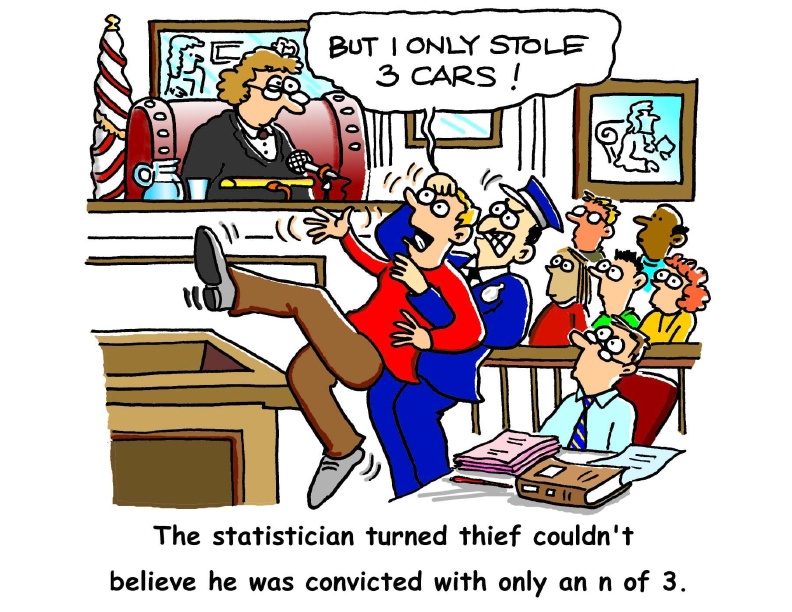
Most of the resources are cartoons, but there are also poems, word puzzles, songs, and videos. If any of you know me personally or professionally, you know that I am silly and love to include humor in any conversation. So, of course, the "fun" section of this website was particularly enticing for me.
Upon browsing through some of the poems, I came across a poem titled "Hiawatha Designs an Experiment". Because I love Henry Wadsworth Longfellow, I had to read it. And now, I just have to share it with you readers! It's worth reading (if you appreciate poetry, irony, and statistics). :) And in case you aren't familiar with Henry Wadsworth Longfellow, or his poem called The Song of Hiawatha, here's a link to the original poem: http://www.hwlongfellow.org/poems_poem.php?pid=283.
Hiawatha Designs an Experiment
by Sir Maurice G. Kendall (1907 - 1983)
Hiawatha, mighty hunter
He could shoot ten arrows upwards
Shoot them with such strength and swiftness
That the last had left the bowstring
Ere the first to earth descended.
This was commonly regarded
As a feat of skill and cunning.
One or two sarcastic spirits
Pointed out to him, however,
That it might be much more useful
If he sometimes hit the target.
Why not shoot a little straighter
And employ a smaller sample?
Hiawatha, who at college,
Majored in applied statistics
Consequently felt entitled
To instruct his fellow men on
Any subject whatsoever,
Waxed exceedingly indignant
Talked about the law of error,
Talked about truncated normals
Talked of loss of information,
Talked about his lack of bias
Pointed out that in the long run
Independent observations
Even though they missed the target
Had an average point of impact
Very near the spot he aimed at
(With the possible exception
Of a set of measure zero.)
This, they said, was rather doubtful.
Anyway, it didn't matter
What resulted in the long run;
Either he must hit the target
Much more often than at present
Or himself would have to pay for
All the arrows that he wasted.
Hiawatha, in a temper,
Quoted parts of R. A. Fisher
Quoted Yates and quoted Finney
Quoted yards of Oscar Kempthorne
Quoted reams of Cox and Cochran
Quoted Anderson and Bancroft
Practically in extenso
Trying to impress upon them
That what actually mattered
Was to estimate the error.
One or two of them admitted
Such a thing might have its uses
Still, they said, he might do better
If he shot a little straighter.
Hiawatha, to convince them,
Organized a shooting contest
Laid out in the proper manner
Of designs experimental
Recommended in the textbooks
(mainly used for tasting tea, but
Sometimes used in other cases)
Randomized his shooting order
In factorial arrangements
Used in the theory of Galois
Fields if ideal polynomials
Got a nicely balanced layout
And successfully confounded
Second-order interactions.
All the other tribal marksmen
Ignorant, benighted creatures,
Of experimental setups
Spent their time of preparation
Putting in a lot of practice
Merely shooting at the target.
Thus it happened in the contest
That their scores were most impressive
With one solitary exception
This (I hate to have to say it)
Was the score of Hiawatha,
Who, as usual, shot his arrows
Shot them with great strength and swiftness
Managing to be unbiased
Not, however, with his salvo
Managing to hit the target.
There, they said to Hiawatha,
That is what we all expected.
Hiawatha, nothing daunted,
Called for pen and called for paper
Did analyses of variance
Finally produced the figures
Showing beyond all peradventure
Everybody else was biased
And the variance components
Did not differ from each other's
Or from Hiawatha's
(This last point, one should acknowledge
Might have been much more convincing
If he hadn't been compelled to
Estimate his own component
From experimental plots in
Which the values all were missing.
Still, they couldn't understand it
So they couldn't raise objections
This is what so often happens
With analyses of variance.)
All the same, his fellow tribesmen
Ignorant, benighted heathens,
Took away his bow and arrows,
Said that though our Hiawatha
Was a brilliant statistician
He was useless as a bowman,
As for variance components
Several of the more outspoken
Made primeval observations
Hurtful to the finer feelings
Even of a statistician.
In a corner of the forest
Dwells alone my Hiawatha
Permanently cogitating
On the normal law of error
Wondering in idle moments
Whether an increased precision
Might perhaps be rather better
Even at the risk of bias
If thereby one, now and then, could
Register upon the target.
Monday, February 18, 2013
Purdue Online Writing Lab (OWL) - not just for your students!
http://owl.english.purdue.edu/owl/resource/752/1/
Many of you probably already know about Purdue's OWL website. It gives great tips for writing on a variety of topics. However the link I want to share today is specifically related to the topic of academic proposals (for conferences, articles, and books). I don't know about you, but for me, the idea of writing a proposal is both exciting and panic-inducing. It is exciting because I enjoy the opportunity to share my work, which I think is important and meaningful, but it's also panic-inducing because of all the fears that go along with academic writing: Will I be able to articulate my points convincingly? What if they think my ideas are hogwash? How long can I put off writing this proposal? "Insert your own fears here." So check out this link for some helpful guidance on how to write an effective proposal. Also, be sure to peruse the rest of the website because it has plenty of helpful tips for writers at any level!
Subscribe to:
Posts (Atom)